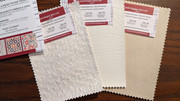
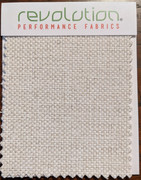
Well, this had drifted a bit from cushions, but I’ll chime in anyway...
In college my first programs were also written on punch cards, on an 0129 machine. When I first started working for IBM it was just before the IBM PC was invented, so I worked on the IBM Management Computer (aka "IBM System/23 Datamaster") which was a large desk-based unit with (2) hard-sectored 8” floppy slots, a green-screen and a monster-sized "console"
** (the original name for what we now call a keyboard), which had been sourced from the mainframe entry console. When the PC came out I was assigned to that project and remained in the IBM PC business for the remainder of my 15 years there, eventually becoming a senior consulting systems engineer. Early PC’s had only 16k memory, two 180kb 5.25” single-sided soft-sectored floppy drives and a cassette port for backing up data (that I think *nobody* ever used). I also worked with PC DOS 1.0, the source code for which was literally stolen by Bill Gates (et al) from Digital Research’s CP/M operating system (don’t get me started on how much of a creep that guy is). In particular I helped to add the Czech codepage to DOS v3.1, since my mother-in-law was Czech (living here in the US) and she wanted to use it to write in her native language. I ended up traveling to communist Czechoslovakia to finalize the job. I still have a set of the very first Czech key caps in a box somewhere. (Did you know that professional IBM keyboards had interchangeable key caps?) I built her one of the first IBM laptops - a Model 500 - for her to use... I still have it, having upgraded her many times over since then... she’s 94 now and still uses a laptop!
Oh, and as to the venerable 0129 punch card machine, one of my customers, for whom I was a IBM Systems Engineer, was the State of NJ and they still had them
on lease, well into the 1990’s! We finally convinced them they were no longer needed.
** Interesting factoid... the use of ‘console’ still exists, even in the latest Windows operating systems. Try this...
- Open up a command prompt window which can be found in your Windows menu under All Programs --> Accessories, but be sure to open it using "Open as Administrator" by right-clicking on the Command Prompt choice and choosing Open as Administrator from the menu.
- When you get the C:\ prompt type cd \ and press Enter. (This gets you to the root of your drive.)
- Now type copy con myfile.txt ... this command copies all your keystrokes from the “console” (CON) to a new file called “myfile.txt”.
- Now press Enter (return) and your file has been opened up for keyboard (console) entry. Keep writing until you’ve written a small paragraph or so. You can use the Enter key to make new lines.
- When you want to finish, press and hold the Ctrl (control) key and hit the Z key - this adds a file-end character to your file and closes the file. Your C:\ prompt will return.
- Now type dir myfile.txt and press Enter and you’ll see your newly created file.
- To delete the file you can type del myfile.txt and press Enter.
- You've just used the first word-processor for the IBM PC!


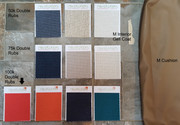

 with a 150% Genoa on a fuller? Do you have the Sunbrella trim that when rolled up it keeps the sail protected? Do you have the width of those two strips on the leach and foot? That's my other big sewing project.